
How to Photograph & Digitise Artwork Using Your Mobile Phone
About Course
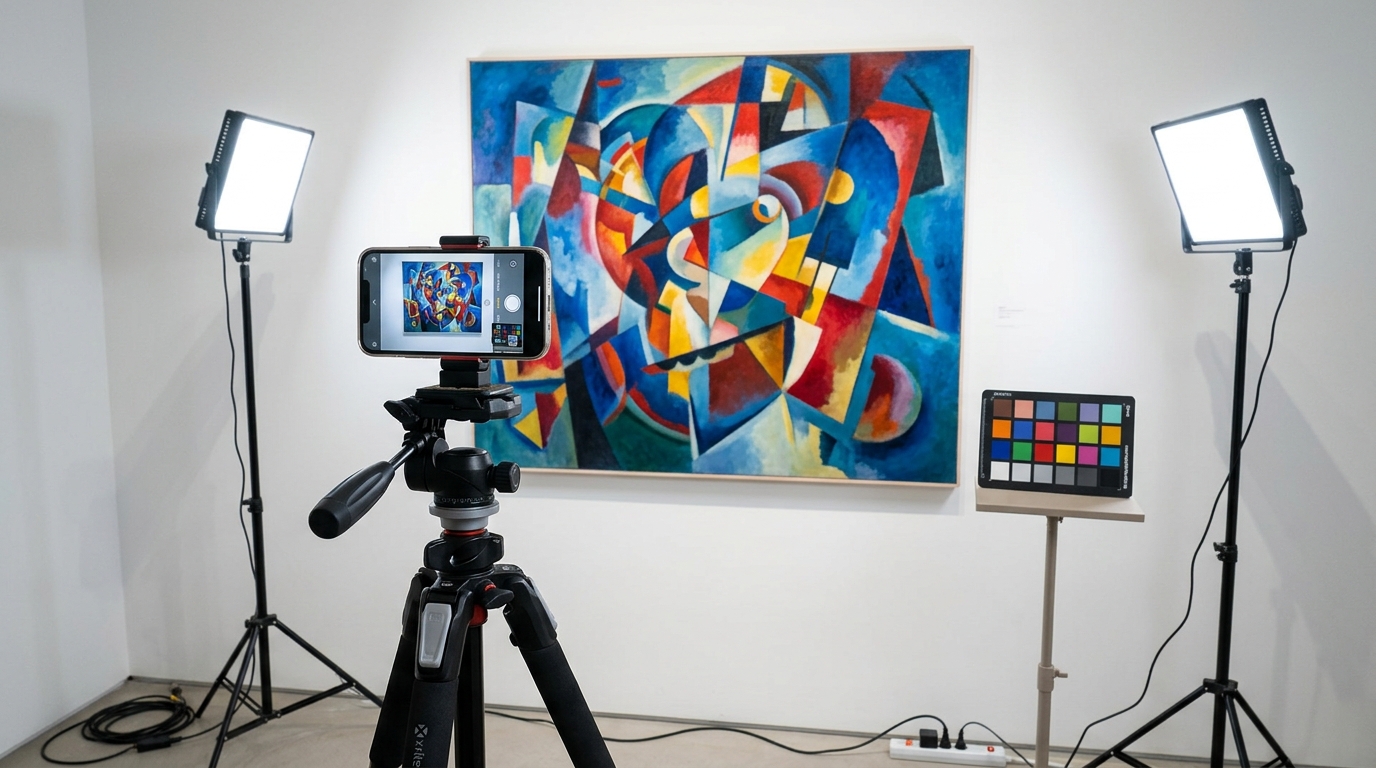
Whether you’re an artist, art student, museum professional, gallery owner, researcher, or collector, this course will help you create professional-quality digital reproductions of artwork using only your mobile phone—without the need for expensive camera equipment.
Professional artwork digitisation involves much more than simply taking a photograph. It requires proper lighting, accurate camera settings, a color reference for faithful reproduction, careful editing, and systematic quality control. By following the techniques demonstrated in this course, you can produce digital images that accurately preserve the original artwork.
Every stage of the workflow—from lighting and image capture to editing and color management—plays an essential role in creating sharp, true-to-life digital reproductions suitable for documentation and presentation.
You will understand the complete workflow for professionally digitising artwork using a mobile phone. By applying proper lighting, manual camera settings, precise camera alignment, accurate colour management, and consistent editing techniques, you can create high-quality digital reproductions suitable for portfolios, exhibitions, online galleries, museums, publications, and archival documentation.
Thank you and happy digitising!
Course Content
Why Artwork Digitisation Matters
LESSON 1: Why Artwork Digitisation Matters
Equipment Required
Setting Up Your Artwork
Lighting Setup
Smartphone Camera Setting
Capture the Image
Color Managment & Editing Workflow
Student Ratings & Reviews